Geometry

The Geometry sampler reads values from another mesh, such as the distance to it or the closest point on it. Use it to make fur react to an object: for example, shorten or flatten the fur near a collar or a strap. It works when the node it drives is processing fibres or particles.
The mesh must be one of the Yeti node's input objects.
Parameters
| Parameter | Description |
|---|---|
| Geometry | The mesh to sample. |
| Mode | What to sample. See Modes below. |
| Attribute | In Attribute mode, the name of the attribute to sample. |
Modes
| Mode | Description |
|---|---|
| Closest Point | The closest point on the mesh (the default). |
| Closest Normal | The normal at the closest point on the mesh. |
| Vector To Closest Point | A vector from the current point to the closest point on the mesh. |
| Distance | The distance from the current point to the closest point on the mesh. |
| Face Index | The index of the closest face of the mesh. |
| Attribute | The value of the attribute named in the Attribute parameter, interpolated at the closest point on the mesh. The attribute must have one value per vertex, and can be a float, vector or colour attribute. |
Example
To see the finished example, download yeti_geometrySamplerExample.ma.
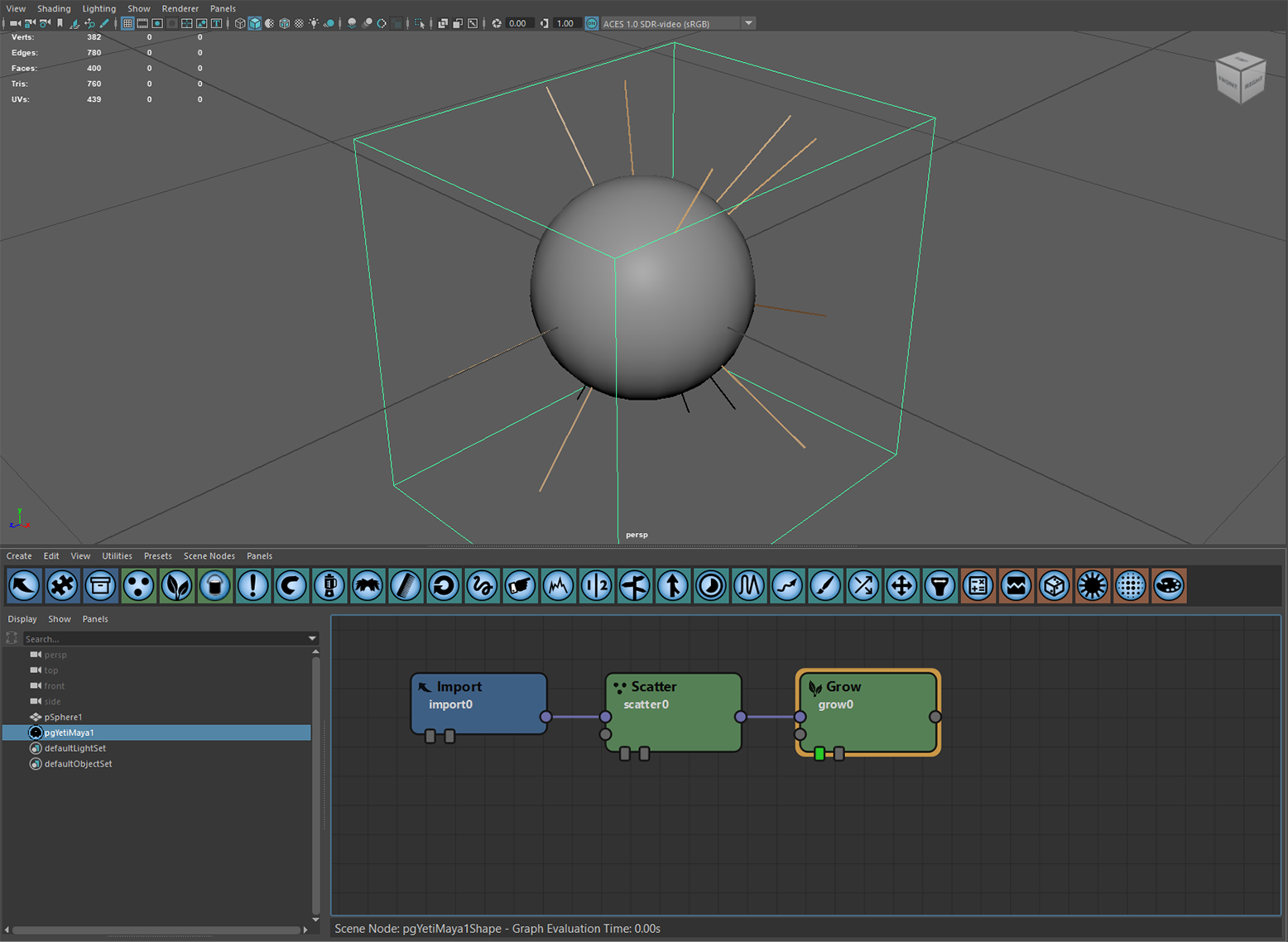
Start with a Yeti node on a sphere, with a simple graph.
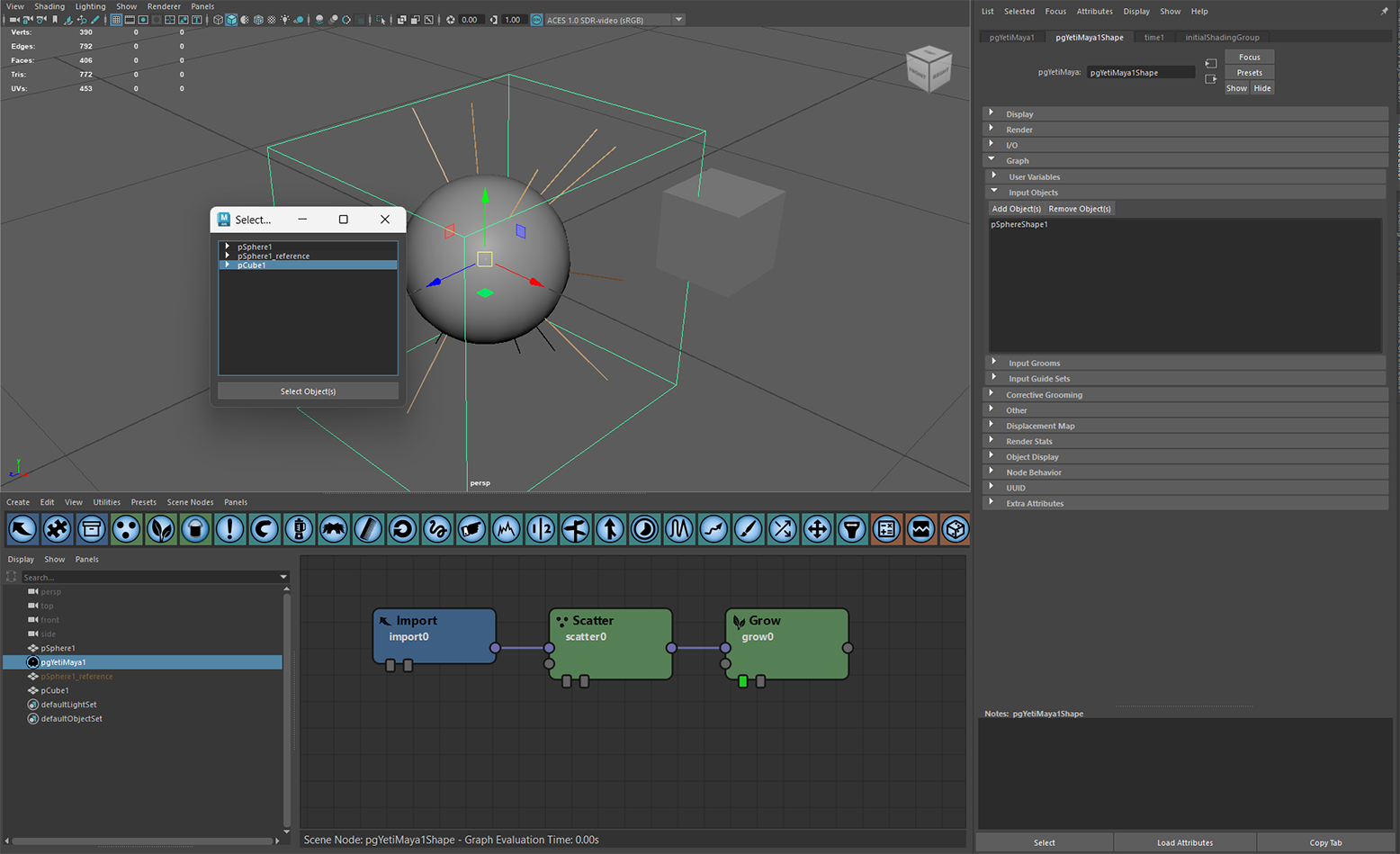
Create a cube, and add it to the Yeti node in the Graph > Input Objects section of the Attribute Editor.
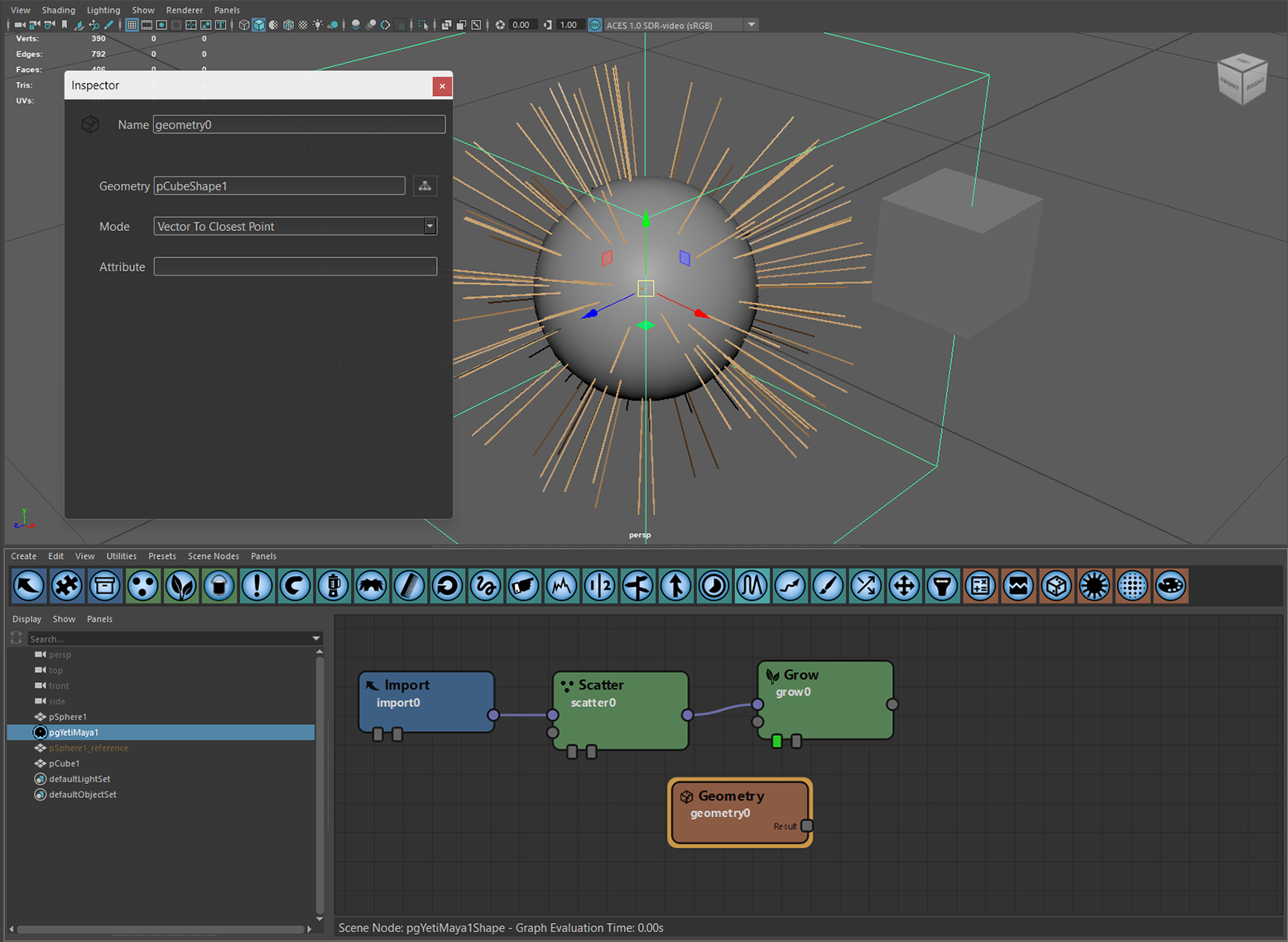
Create a Geometry sampler, set its Geometry to the new pCubeShape1, and set its Mode to Vector To Closest Point. This computes a vector from each vertex to the closest point on the cube.
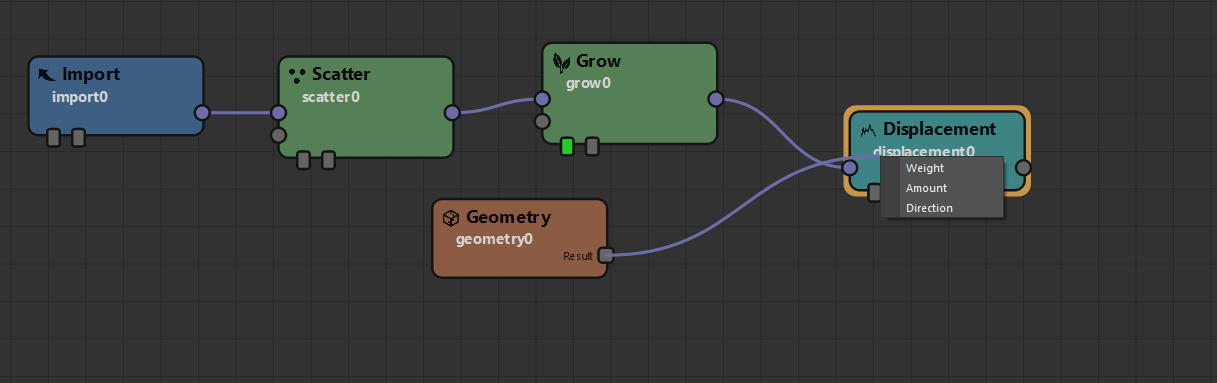
Now use this vector to displace the points onto the cube. Create a Displacement node, and connect geometry0 to the Direction parameter of displacement0.
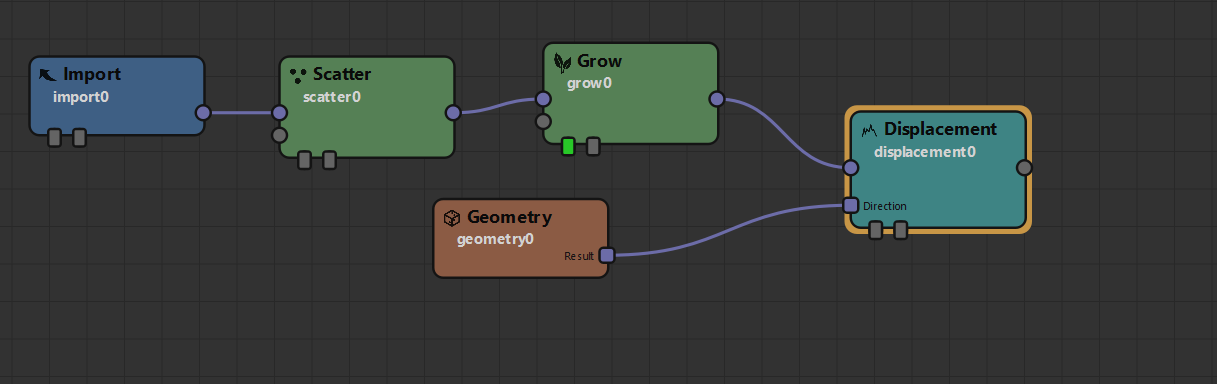
The Displacement node's Normalize Direction is on by default. Turn it off and set Amount to 1.0, and all of the points are displaced onto the surface of pCubeShape1.
To make the effect easier to see, set Amount to the expression $strandu, which scales the effect along the length of each fibre.
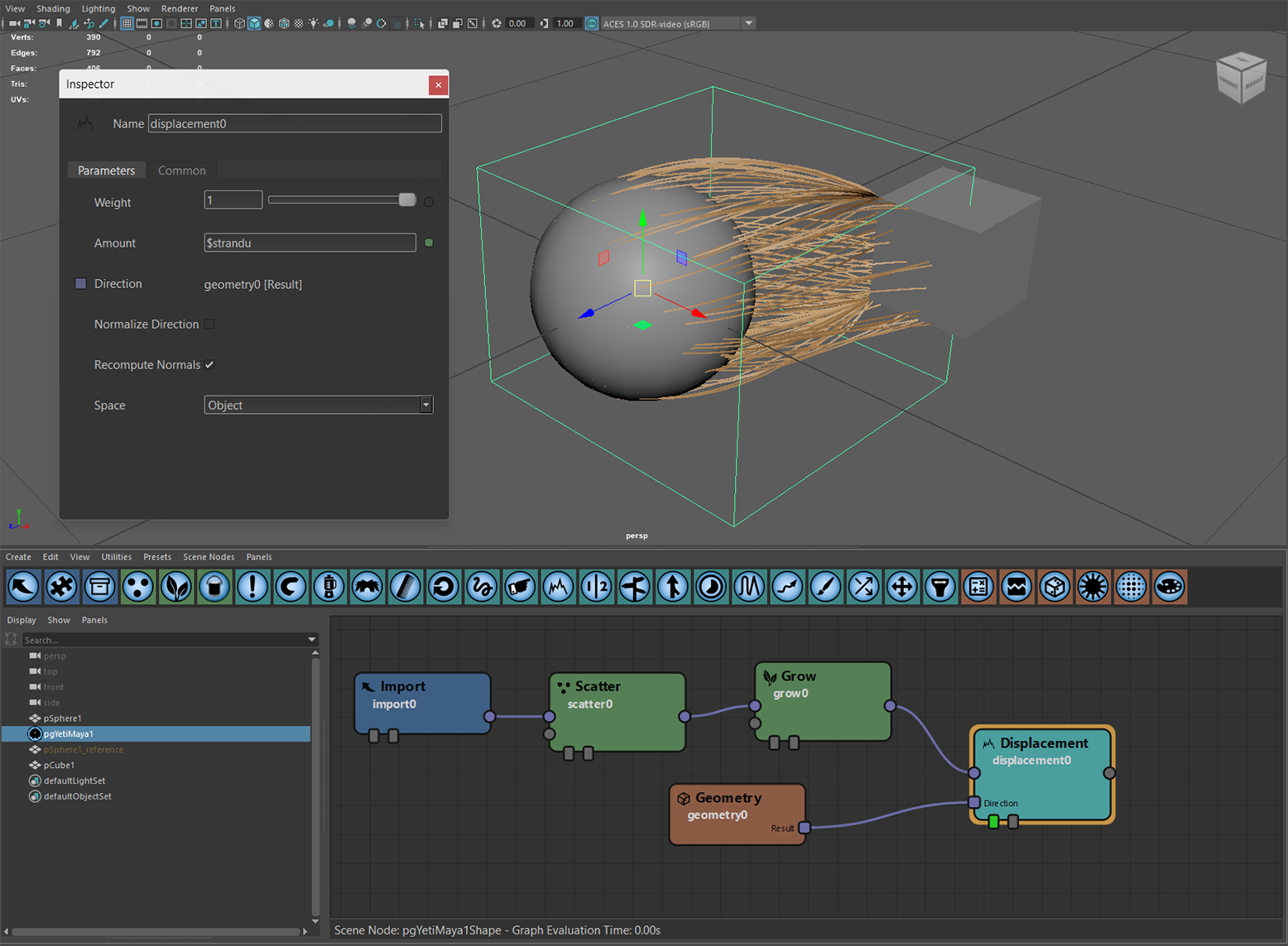
The effect is dynamic: as the sphere or cube moves, the fibres keep reaching for the closest point on the cube's surface.